
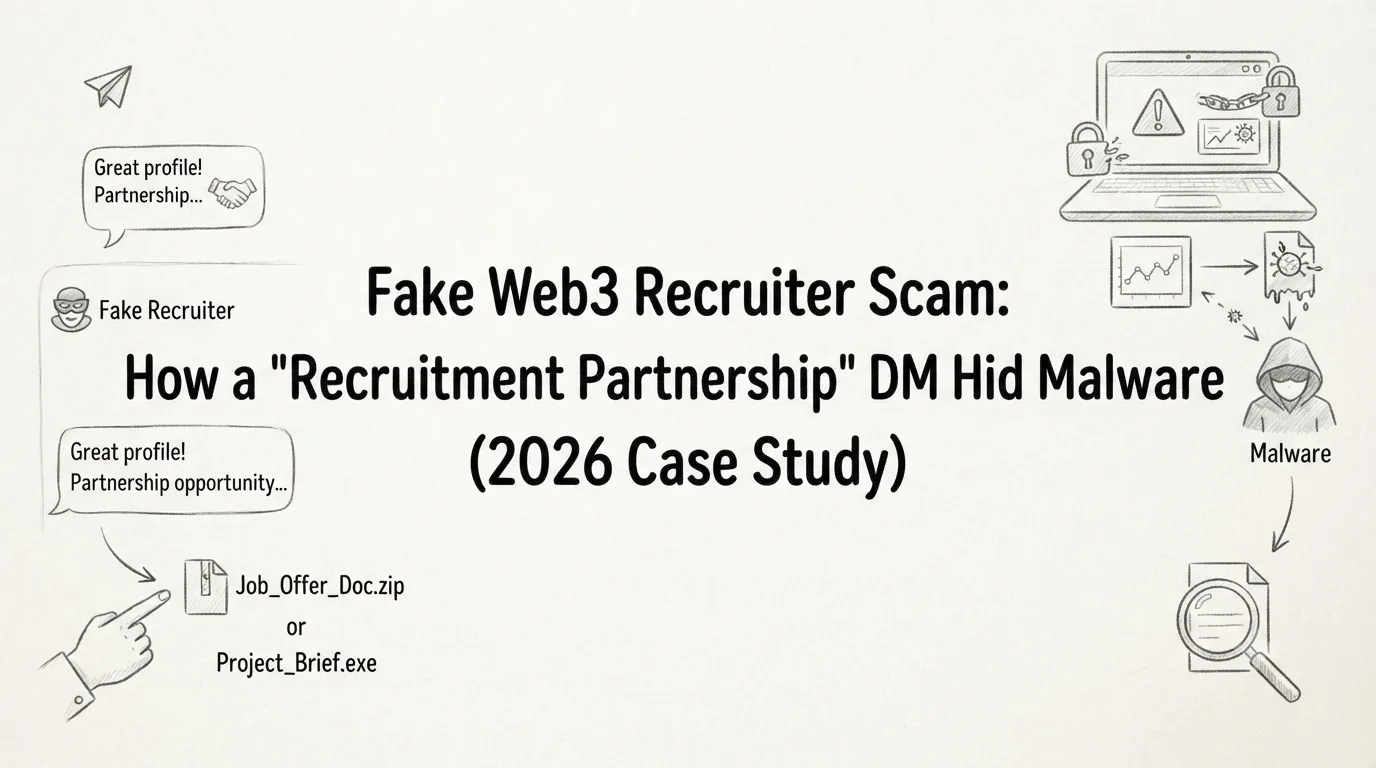
Fake Web3 Recruiter Scam: How a Partnership DM Hid Malware

How do you spot a fake Web3 recruiter? Check three things before you run any code: the company's footprint, its LinkedIn team, and its test packages. Search for the company outside its own website, confirm its LinkedIn team includes real engineers, and look up every package in its hiring test in public malware databases.
In November 2026, ArtofBlockchain (AOB) received a LinkedIn DM asking for a "recruitment partnership" to reach senior blockchain engineers. Six public checks in 30 minutes showed the company's take-home coding test was linked to an npm package flagged as a malware dropper. We declined, and no AOB member was introduced.
This case study shows the exact pattern of this crypto job scam, the checks that exposed it, 7 verified fake-job malware cases from 2023 to 2026, and a 10-minute checklist for recruiters and developers.
In this article
What happened: the fake recruitment partnership DM
How to verify a Web3 recruiter: the 6 checks we ran
What is the Contagious Interview scam?
Why recruiters and Web3 communities are now targets
Fake Web3 recruiter checklist
What to do if you ran a recruiter's code
FAQ
What happened: the fake recruitment partnership DM
The DM did not ask us to post a job. It asked for a trusted introduction to senior blockchain engineers, the people most likely to hold wallets, signing keys and production access.
The message
The sender, an "HR Manager", described a startup building a decentralized AI model marketplace with blockchain-based ownership, NFT licensing, smart-contract payments and automated royalties. They were "assembling a core blockchain engineering team" and wanted backend engineers, smart contract developers, Web3 frontend engineers and technical leads with 4+ years of production experience. They proposed a recruitment partnership with AOB, offering full-time and part-time remote roles with "competitive compensation".
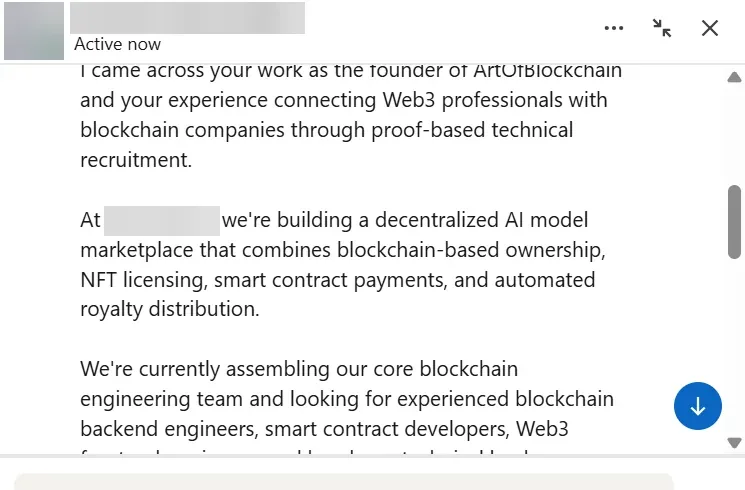
The DM as received. Sender and company names blurred by AOB.
Why it looked real
Personal flattery. It named our founder, AOB and our proof-based hiring focus.
A hot, credible product. AI plus blockchain, with NFT licensing and smart-contract royalties.
Business language. "Recruitment partnership" sounds like a client, not a job ad.
Links that looked like proof. A company website and a LinkedIn company page.
What was missing: salary range, tech stack, interview process, and any named engineer.
How to verify a Web3 recruiter: the 6 checks we ran
No single check proved fraud. Together they made the answer clear, and check 6 ended the conversation. Each takes under 10 minutes and needs no technical skills.
1. Search the company name outside its own channels
We found no news, funding, GitHub activity or team mentions anywhere except the company's own website and LinkedIn page. Real teams hiring senior engineers leave a public trail.
2. Compare the website with the pitch
The DM described an AI model marketplace. The website described a software agency offering integration, product development and architecture consulting, with no product of its own. When the story changes with the audience, ask why.
3. Check the company name, address and phone
The site used three different company names, including in the browser tab title. The street number and ZIP code of its US address did not belong together, and the phone area code was from another city. Copied templates and invented addresses are common on fake company websites.
4. Read the case studies
Of 12 case studies, only 4 had any detail. The rest were titles or "Lorem ipsum" placeholder text, with no named clients, contacts or links.
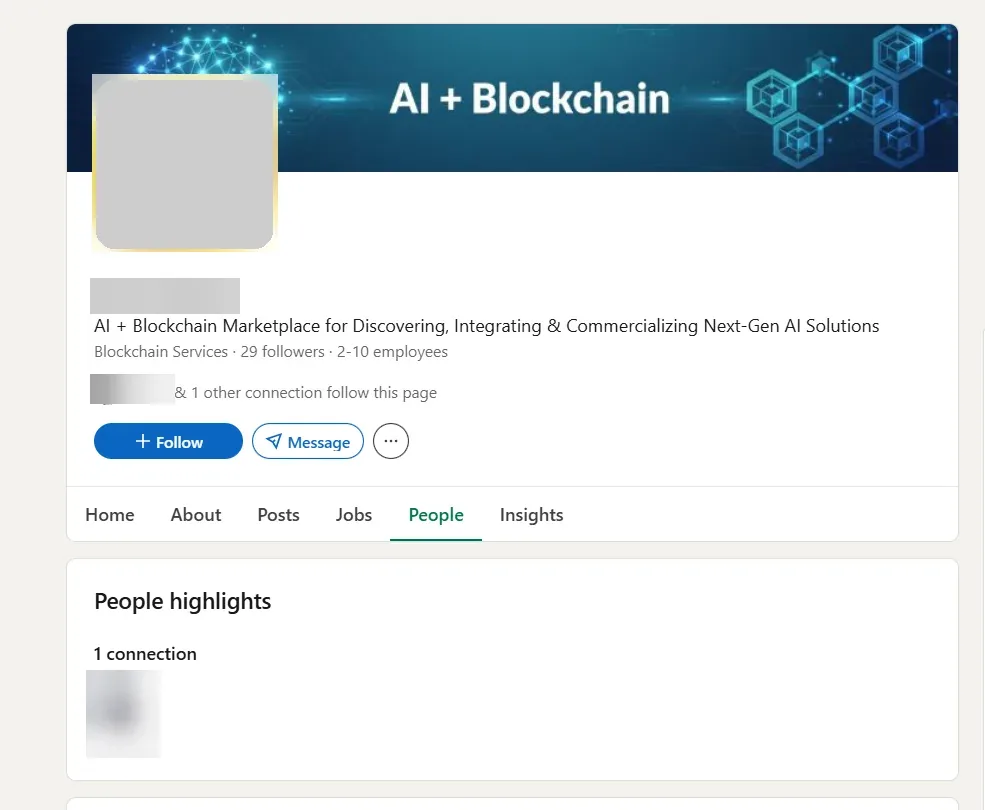
5. Look at who works there on LinkedIn
The page said founded 2026, 29 followers, 2–10 employees, and "Public Company". Of 7 members, 4 worked in HR or recruiting and 1 in engineering, and 2 listed recruiter jobs at other firms. A "core engineering team" was being built by recruiters only.
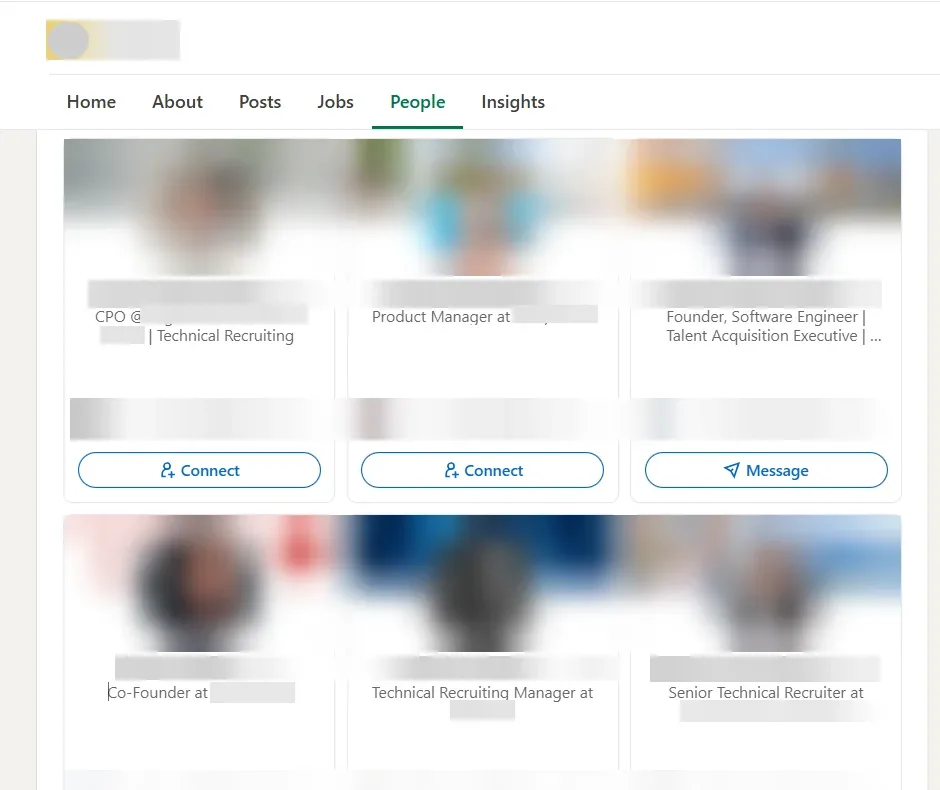
The People tab: a co-founder, a product manager and four recruiting titles. Names and photos blurred.
6. Search for code linked to the company
This was the deciding check. Candidates had uploaded the company's take-home test to GitHub, and it used a Node SDK. An npm package carrying the company's name was listed in public malware databases in August 2026 as a malware dropper. A week before the DM, the company posted on LinkedIn denying the package was theirs.
The open-source malware databases (OSV and GitHub Advisory) say any computer that installed the flagged package should be treated as fully compromised. We cannot say who is behind the company. We can say we will not introduce our members to a hiring process built around that test.
What is the Contagious Interview scam?
Contagious Interview is a fake job interview campaign that hides malware inside coding tests sent to developers. Microsoft has tracked it since at least December 2022, with attackers posing as recruiters from crypto and AI companies. On 18 September 2026, agencies from Japan, the US, Australia and Germany linked it to a North Korean group called WaterPlum, which infected at least 30,000 devices in more than 100 countries between December 2025 and July 2026 (BleepingComputer).
Verified fake job malware cases, 2023–2026
Date | Case | What happened |
Nov 2026 | A listing paying 8,500–10,000 was tied to fake take-home tests using 13 malicious NuGet packages. Building and running the test project ran the attacker's code (Socket research; no group attributed) | |
Oct 2026 | A LinkedIn recruiter sent a ZIP with malware hidden in Git hooks. It stole wallet files and .env keys, and read its instructions from Tron and BNB Chain transactions | |
Sep 2026 | Japan, US, Australia and Germany: 30,000+ devices, funds or credentials taken from 7,000+ crypto wallets, about 1.7 billion yen ($10.71M) sent to North Korea | |
Sep 2026 | A developer's own teardown of a "founding team" Web3 offer. Opening the repo in VS Code or Cursor and accepting the trust prompt ran a hidden task that targeted 28 wallet extensions and SSH and cloud keys | |
Aug 2026 | A fake crypto recruiter's coding test ran on a company laptop. A stolen session token opened the employer's Bitbucket, and 11.8M(S15.1M) was moved out | |
Mar 2026 | Candidates told to clone and run an npm project; newer versions run as soon as the folder is trusted in VS Code | |
Dec 2023 | A LinkedIn "recruiter" asked a developer to debug two GitHub projects. Hours later about $538 in ETH left his MetaMask; the exact method was never confirmed |
What developers are reporting on LinkedIn
First-hand posts show how common this has become:
A Web3 developer reported four scam interviews in one week, more than real ones. Every one ended with "clone this repo and run it", and each repo used a different way to plant malware. His advice: offer to pair on a screen share instead, because a real employer will say yes.
Another developer described a "recruiter" who wrote from a company email but joined the call from personal Gmail, kept his camera off, agreed to any salary instantly, and pushed him to solve a crypto game repo "right now".
How the attack works
A friendly recruiter or "founder" makes contact on LinkedIn, Upwork, Telegram or email.
Technical chats and interviews build trust, sometimes over weeks.
A take-home test, "MVP review" or "bug fix" arrives as a repo, ZIP or package.
Opening, building or running it installs a loader.
The loader steals wallets, browser logins, session tokens, SSH and cloud keys, then keeps remote access.
The damage does not stop at the candidate. In the Singapore case, the $11.8M came out of the employer, through the candidate's work laptop.
Why recruiters and Web3 communities are now targets
Fake recruiters now target gatekeepers because one trusted introduction reaches more victims than a thousand cold DMs. A community owner, recruiter or job board carries a reputation, and members lower their guard when we vouch for an opportunity.
Communities are already being worked. Security Alliance documented DPRK-linked "recruiters" approaching people on community sites and GitHub, then moving the chat to Telegram or Discord.
Intermediaries are the soft spot. Microsoft calls staffing company workers the easiest route for North Korean workers into target companies.
The ask scales. A "recruitment partnership" asks the gatekeeper to do the targeting: pick the most senior engineers and personally vouch for the opportunity.
The playbook also runs in reverse. Fake candidates use staffing agencies and talent pools to get hired into Web3 companies. A talent community has to vet both sides.
This is why AOB is built on proof-based hiring. Proof is not only for candidates. Hiring teams have to show proof too.
Fake Web3 recruiter checklist (10 minutes)
Run this before you reply to any partnership request or Web3 job offer. Two or more misses means stop.
For recruiters, community owners and job boards
Search the company name in quotes. Is there anything outside its own website and LinkedIn: news, funding, GitHub, team talks?
Does the website describe the same product as the message?
Is the company name the same on every page, including the browser tab title?
Do the street number, ZIP code and phone area code match the same place?
On LinkedIn, are there named founders and engineers with real histories, or mostly recruiters?
Ask for founder names, a company-domain email and a short video call. Real companies say yes quickly.
For partner checks in business development, see our Web3 BD cheat sheet on verifying partners.
For developers and candidates
Search the company name plus "npm", "GitHub" or "malware". Look for test repos other candidates have uploaded.
Look up every package the test installs onosv.dev before running anything.
Never open a recruiter's repo in VS Code or Cursor on your main machine, and never click "Trust". Use a throwaway virtual machine or cloud sandbox with no wallets, keys or logins.
Treat these as red flags: "run it before our call", "review our MVP", a ZIP instead of a public repo, paste-this-command "fixes", camera always off, and pressure to move to Telegram.
A real employer does not need you to run their code before they have met you.
What to do if you ran a recruiter's code
Assume the machine is compromised: disconnect it, move your funds from a clean device, then rotate every key and password. Speed matters more than certainty.
Disconnect the device from the internet. Do not log into anything else from it.
Move funds first. From a different, clean device, send crypto to a brand-new wallet with a new seed phrase. Any seed phrase or key that was on that machine is burned.
Rotate everything from the clean device: email, GitHub, cloud and exchange passwords, SSH keys, API keys and anything in .env files. Log out of all sessions, because stolen session tokens bypass two-factor login.
Tell your employer's security team if a work laptop or work account was involved.
Wipe and reinstall the operating system. These loaders add themselves to startup and can fetch new code later.
Report it. Flag the recruiter's profile on LinkedIn, report the package to npm or GitHub, and warn others in the AOB community.
This follows the response steps Microsoft recommends: isolate the device, rotate exposed credentials, and review access to repositories and deployment systems.
How AOB verifies hiring partners
Before AOB introduces any member, lists a role or shares a profile, a hiring team must show:
Named founders or hiring managers we can check on LinkedIn and GitHub
A company-domain email and a short video call
A written job description with stack, experience and pay range
How the interview works, with any take-home test in a public GitHub repo, never a ZIP or private package
FAQ: fake Web3 recruiters and crypto job scams
Is it safe to run a take-home coding test from a recruiter?
Only in an isolated virtual machine or cloud sandbox with no wallets, keys or logins. Never on your main or work laptop. Check every package on osv.dev first. A legitimate employer will accept a live screen-share instead, or let you review the code without running it.
Can opening a GitHub repo in VS Code install malware?
Yes. Some fake take-home repos include VS Code tasks that run automatically once you trust the folder. Building or running the project can also trigger install scripts or build hooks. Open unknown repos only in a sandbox, and choose "Don't Trust" or Restricted Mode.
How do I check if an npm package is malicious?
Search the exact package name on osv.dev, the open-source vulnerability and malware database, and on the GitHub Advisory Database. Also check the package's age, download count and publisher. A brand-new package that a recruiter's test depends on is a red flag on its own.
Do legitimate Web3 companies send take-home tests?
Yes, many do, but the process looks different. A real team explains the role and stack in a live interview first, shares the test through a public repo or a hosted platform, gives you days rather than hours, and accepts a screen-share instead. No real test needs your wallet, seed phrase or private keys.
Related AOB resources and discussions
Download: [Get this case study and checklist as a PDF] (add the resource link after publishing) to share with your team.
Microsoft: Contagious Interview, malware delivered through fake developer job interviews (Mar 2026)
BleepingComputer: North Korean WaterPlum hackers infected 30,000 devices worldwide (Sep 2026)
Socket: 13 malicious NuGet packages target .NET developers with fake job assessments (Nov 2026)
StartPoint Security: The job interview was the attack (Oct 2026)
Decrypt: Fake LinkedIn crypto job scams have cost $11.8M, Singapore (Aug 2026)
Security Alliance: From North Korean IT workers to IT recruiters (Nov 2025)
BleepingComputer: Blockchain dev's wallet emptied in job interview (Dec 2023)
Developer posts on LinkedIn: four scam interviews in a week, a recruiter's coding assignment
Curated by ArtofBlockchain (AOB), the Web3 community for proof-based hiring.